Plan and billing
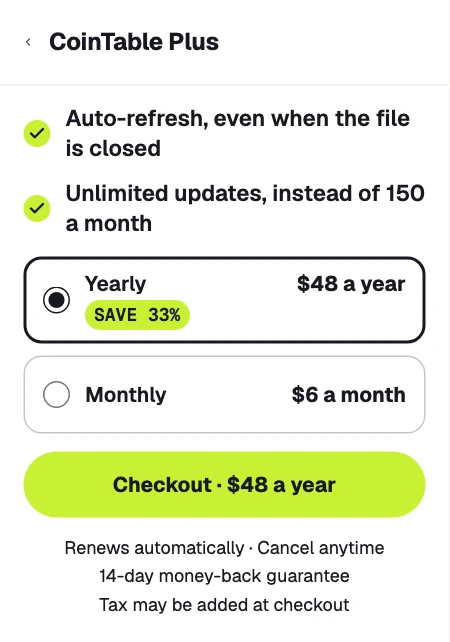
CoinTable is free with 150 updates a month. Plus adds unlimited updates for normal use, a refresh each time an editor opens the file, and auto-refresh every hour. It costs $48 a year, or is billed monthly. You buy and manage Plus in the CoinTable panel, on a computer.
Upgrade to Plus
In the CoinTable panel, open ⋮ › Plan and billing, or choose Extensions › CoinTable › Upgrade to Plus. Pick yearly or monthly and click Checkout. The payment form opens right in the panel, and Plus turns on by itself once the payment goes through. Tax may be added at checkout.
See your plan, card and invoices
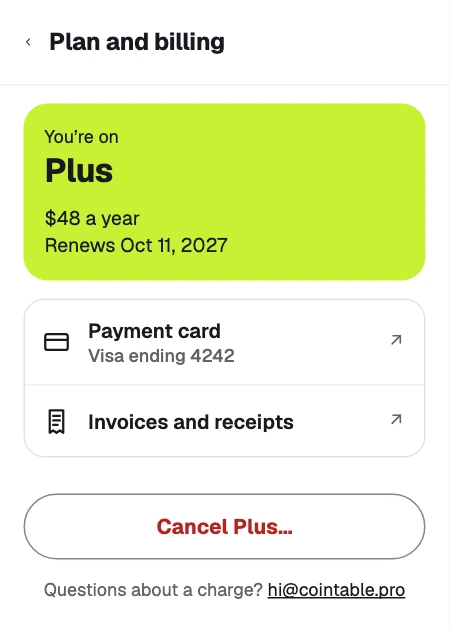
On Plus, ⋮ › Plan and billing shows your plan, its price and the renewal date.
- Payment card opens a page where you change the card for future payments.
- Invoices and receipts opens your past payments, with invoices to download.
Switch from monthly to yearly
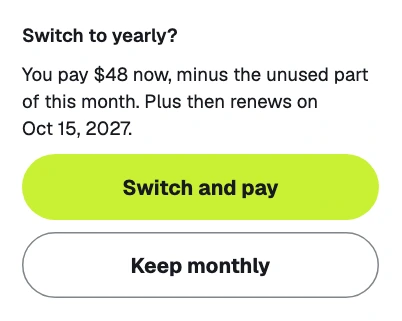
On a monthly plan, click Switch to yearly · save 33%, then Switch and pay. You pay $48 at once, minus the unused part of the current month, and Plus then renews a year from that day.
Cancel Plus
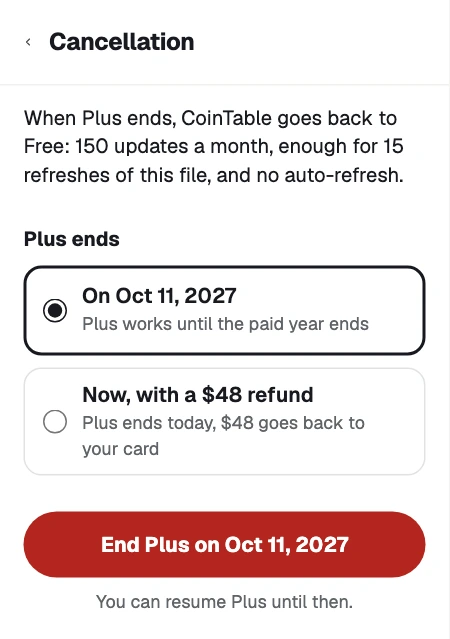
Click Cancel Plus on the Plan and billing screen. Plus keeps working until the end of the period you paid for, and until then Resume Plus brings it back. After that, CoinTable goes back to Free: 150 updates a month and no auto-refresh.
Get a refund
Plus has a 14-day money-back guarantee on your first payment, once per customer. Within 14 days, click Cancel Plus… and choose Now, with a refund: Plus ends at once, and the full amount goes back to your card, usually within 5 to 10 business days. The refund starts after 30 seconds, and you can click Undo until then.
For a renewal or any other question about a charge, write to hi@cointable.pro.